Unlock Smart Website Interactions with WP AI Assistant: Trained AI Chatbot Solution for WordPress
Enhance customer engagement with WP AI Assistant, the ultimate AI chatbot for WordPress. Enjoy 24/7 support, ChatGPT integration, and no coding required!
Why Unlock Smart Website Interactions with WP AI Assistant: Trained AI Chatbot Solution for WordPress
- Provides an embedded video demo of the WP AI Assistant plugin directly on the product page.
- Allows users to visually preview how the assistant behaves on a WordPress site before installation.
- Showcases the plugin’s main AI features and workflows in real usage scenarios.
- Helps visitors quickly evaluate usability and interface without reading extensive documentation.
- Offers a convenient way to share the demo with clients or team members when considering the plugin.
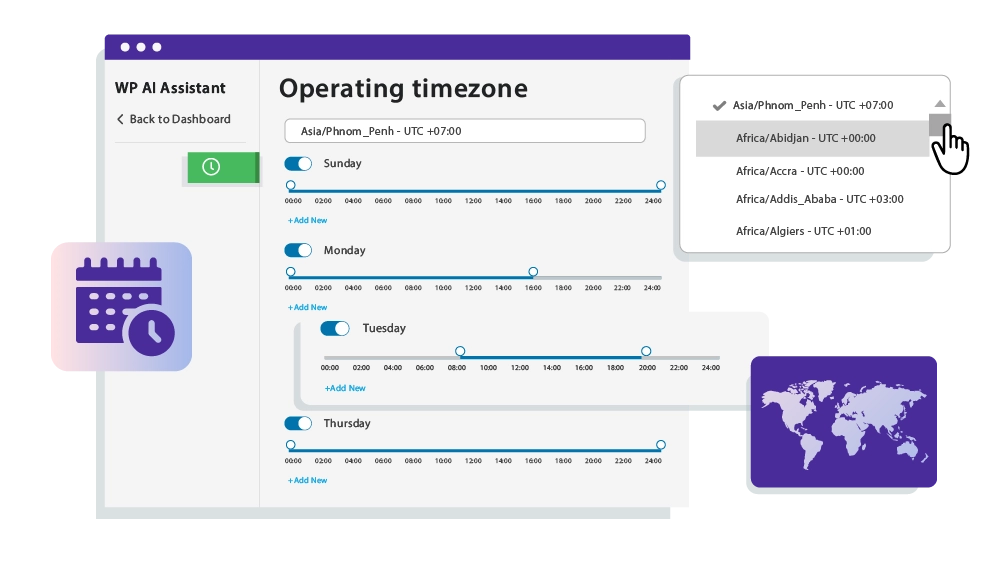
Put Your Chatbot on Autopilot with Simplified Custom Scheduling Take full control of your chatbot’s availability with WP AI Assistant’s scheduling management feature. You can show or hide your chatbot based on a specified schedule—setting exact hours, days, and time zones for when it’s active. Timezone-Based Availability : Schedule chatbot visibility to support global customers at the right time. Business Hour Optimization : Display your AI assistant only when needed, keeping interactions relevant. Efficient Resource Management : Minimize unnecessary bot activity and optimize performance. Easy Customization : Quickly configure schedules with a simple, flexible interface.
Get External URLs Data for Your Chatbot Supercharge your assistant with insights from external URLs by crawling and ingesting their content. Content Crawling : Add external web pages or blog posts as data sources for your assistant. The plugin extracts and processes the content as native OpenAI vector database. Dynamic Knowledge Base : Keep your assistant updated with information from trusted third-party sources. Use Case Flexibility : Integrate competitor analysis, external FAQs, or additional industry knowledge to broaden your assistant’s scope. Example Use Case : Use content from industry blogs or partner websites to answer niche-specific questions effectively.

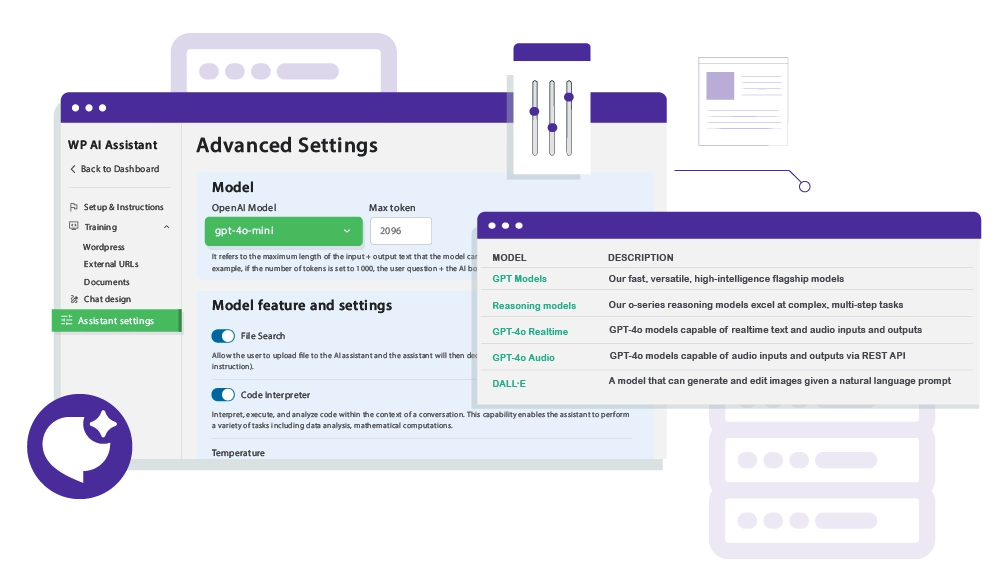
Use OpenAI ChatGPT Models for Assistants Leverage OpenAI’s powerful GPT models to provide exceptional responses and enhanced capabilities for your chatbot. Model Selection : Choose from different ChatGPT models, such as GPT-4o, turbo models, depending on your requirements for accuracy, creativity, and response speed. Custom Training Data : Enhance the performance of these models by giving notice to the model to use as preference custom data or model data Balanced Performance : Combine OpenAI’s state-of-the-art technology with custom data to provide detailed, accurate, and context-aware answers.
Give Detailed Instruction to Your Assistant Define your assistant's personality, behavior, and purpose with advanced instruction fields. System Prompts : Write clear, detailed instructions to specify how your assistant should interact with users. Target Audience Objectives : Tailor your assistant’s responses to align with business goals and user expectations. Flexibility : Customize your assistant for different use cases—whether it’s a technical support agent, product advisor, or conversational chatbot. Example : Set your assistant to respond like a support specialist, or an expert trained on a technical documentation.

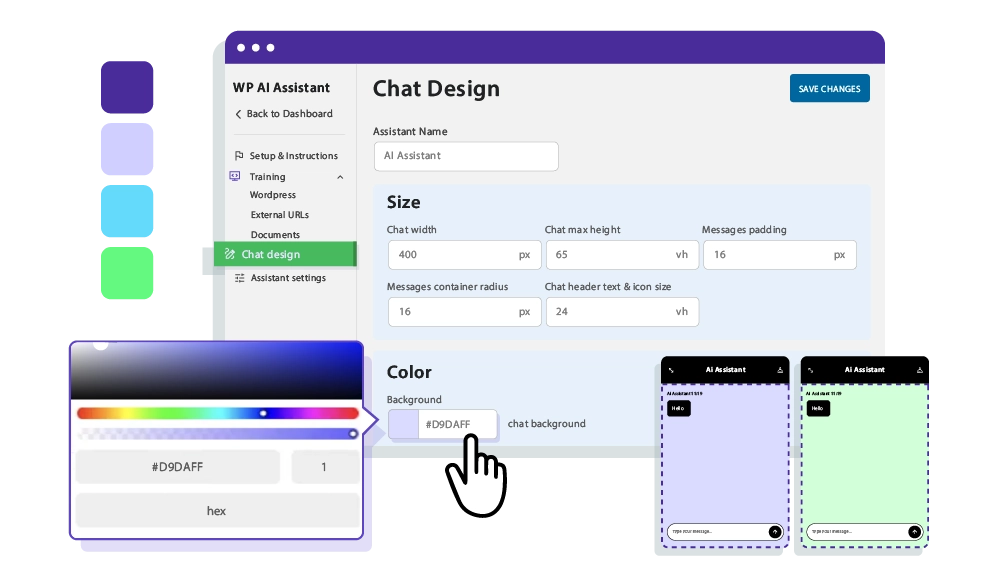
Make a Design for Your ChatBot that Fits Your Website Seamlessly integrate the chatbot into your website design for a cohesive and professional look. Full Customization : Adjust the colors, fonts, and sizes of your chatbot to match your website’s branding and style. Floating Position : Position the chatbot where you want it on the screen—make it easily accessible but non-intrusive. Responsive Design : Ensure the chatbot looks and works great on both desktop and mobile devices.
Assistant Frontend Integration Made Simple No coding required! With WP AI Assistant, integrating an AI assistant or chatbot into your website is as easy as adding a shortcode. Prefer a more seamless approach? Use the autoloading feature to place your assistant in a fixed position on your site. Customize colors, styles, and design to match your brand effortlessly, ensuring the AI assistant blends in perfectly with your website’s aesthetic.

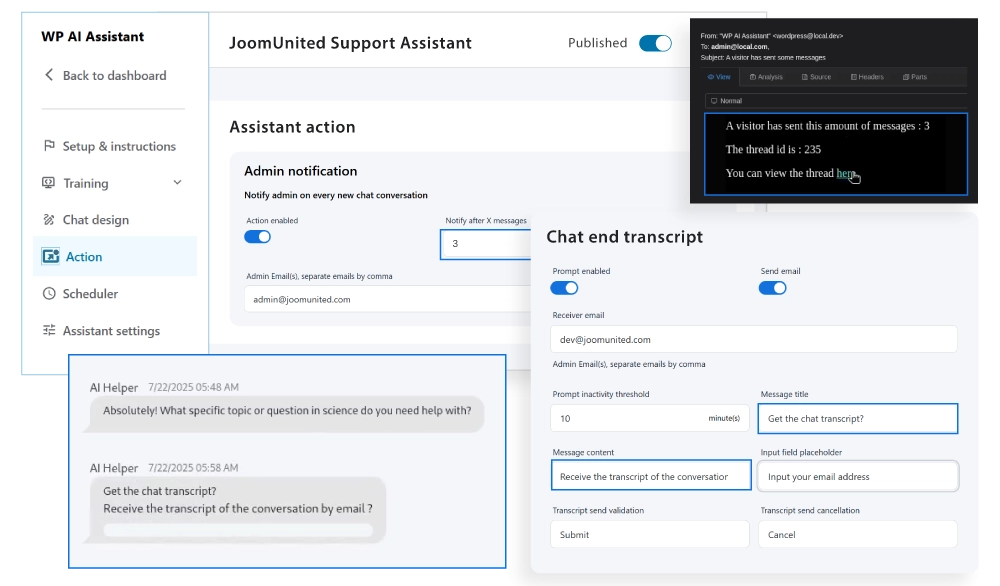
Turn Every Chat Into a Lead with Get Contact Action With the new Get Contact Action in WP AI Assistant, every support chat becomes a conversion opportunity. Automatically collect visitor emails when they go inactive. The assistant offers to send the chat transcript, and once submitted, the email goes straight into your contact list.
Detailed Features
Responsive Layout
Seamless experience on desktop, tablet, and mobile
Clean Typography
System fonts optimized for readability
Flexible Grid
Modern and adaptable layout system
Customizable Colors
Fully editable color palette
Balanced Spacing
Optimal use of white space
Simple Header/Footer
EEssential and no-frills elements
WooCommerce Compatible
Integrated e-commerce with a consistent design
Easy Menu
Clean and intuitive navigation
Contact Form
Essential contact form
Portfolio Grid
Minimalist project gallery
Clean Blog
Content-focused blog layout
Widget Areas
Essential and organized widget areas
Lightweight Code
Minimal CSS and JS for maximum speed
Optimized Images
Intelligent resource loading
Cache Friendly
Compatible with all cache plugins
Optimized Database
Efficient queries and a clean database
CDN Ready
Ready for Content Delivery Networks
Standards Compliant
Valid and optimized W3C code
Clear Documentation
Easy-to-follow step-by-step guides
Email Support
Email assistance with quick responses
Regular Updates
Constant maintenance and improvements
Demo Data
Sample content to get started immediately
Child Theme
Child theme for safe customizations
FAQ
Answers to the most common questions