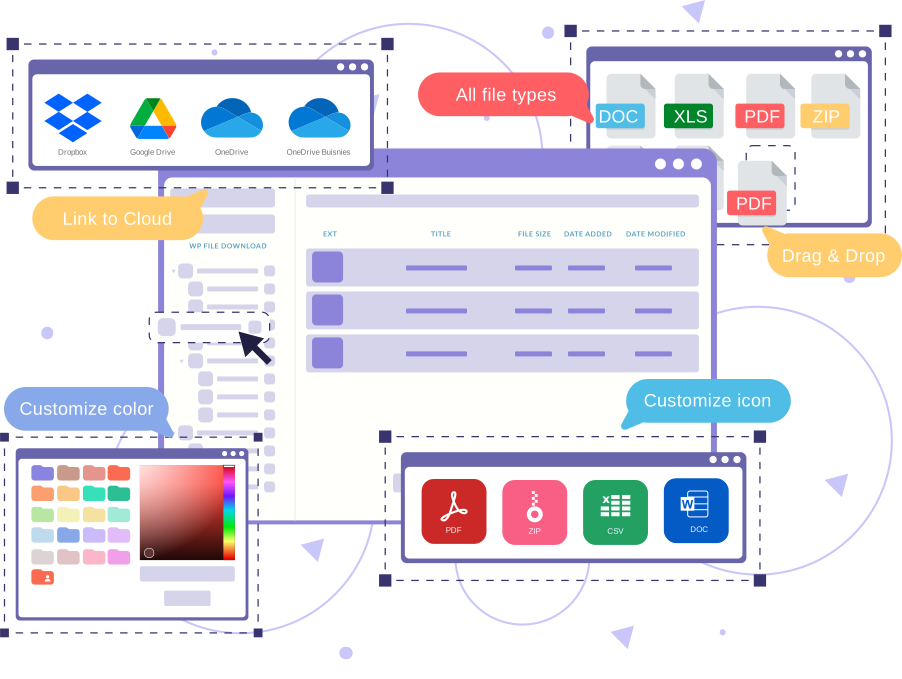
WP File Download, the WordPress download manager plugin TURBOCHARGED
WP File Download is a WordPress download manager plugin to manage documents, Google drive, Dropbox synchronization and more. Get the easiest file manager
Why WP File Download, the WordPress download manager plugin TURBOCHARGED
- Advanced file management with structured categories and powerful search
- Direct file management from the WordPress editor (Gutenberg and classic)
- Native integration with cloud services such as Google Drive, OneDrive, and Dropbox
- Front-end file listing and download views with multiple themes and layouts
- Granular user access control and file visibility permissions
- File versioning and revision history management
- SEO-friendly file URLs and metadata options
- Download statistics and file access tracking
- Drag-and-drop file and category organization
- Compatibility with popular page builders and major WordPress plugins

WP File Download, the WordPress download manager plugin TURBOCHARGED Unlimited downloadable files & categories Advanced file download access control Frontend full-text document search engine Icon builder: customize file type with the design of your choice Sell your files with full WooCommerce integration Sync Google Drive, Dropbox, OneDrive and OneDrive Business No auto-renewal. Renew only if you want. as well as hundreds of other amazing features... Buy now! Features Comparison
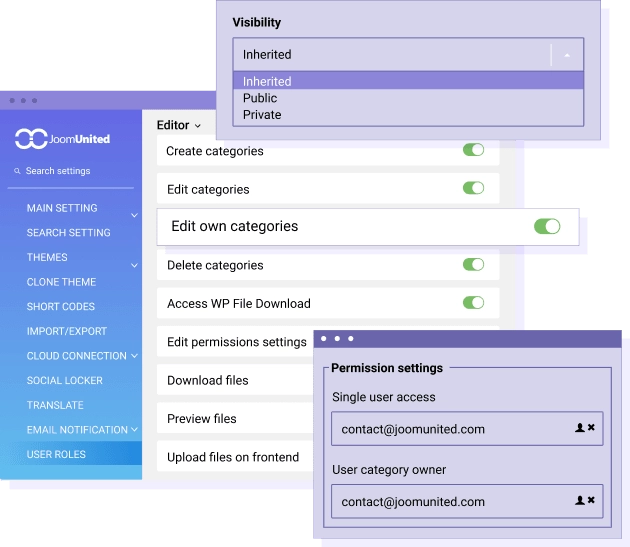
Limit download access, file visibility and file management When you manage files, you will always need to setup file access for users and it's always complex to do so. In WP File Download, we've included smart tools to manage file visibility and file management actions. Define who is allowed to download or update a file, delete a file, edit only his own files and more. Furthermore, it's possible to restrict the access to a file or a file category to some WordPress users only. MORE ABOUT FILE ACCESS

A powerful yet easy to use WordPress download manager We mean it - the download manager is straightforward to use. It's essentially like managing files on your desktop file browser. For example, you can change the order and levels of file categories with drag'n drop as well as order files. And everything is saved with AJAX - on the fly. Adding new files? Just drag'n drop one or multiple files, no matter the file size. Move or duplicate files? It's a piece of cake. Drag'n drop files or use the right-click to copy, cut, paste one or several files at the same time. MORE ABOUT EASY DOWNLOAD MANAGER
Detailed Features
Responsive Layout
Seamless experience on desktop, tablet, and mobile
Clean Typography
System fonts optimized for readability
Flexible Grid
Modern and adaptable layout system
Customizable Colors
Fully editable color palette
Balanced Spacing
Optimal use of white space
Simple Header/Footer
EEssential and no-frills elements
WooCommerce Compatible
Integrated e-commerce with a consistent design
Easy Menu
Clean and intuitive navigation
Contact Form
Essential contact form
Portfolio Grid
Minimalist project gallery
Clean Blog
Content-focused blog layout
Widget Areas
Essential and organized widget areas
Lightweight Code
Minimal CSS and JS for maximum speed
Optimized Images
Intelligent resource loading
Cache Friendly
Compatible with all cache plugins
Optimized Database
Efficient queries and a clean database
CDN Ready
Ready for Content Delivery Networks
Standards Compliant
Valid and optimized W3C code
Clear Documentation
Easy-to-follow step-by-step guides
Email Support
Email assistance with quick responses
Regular Updates
Constant maintenance and improvements
Demo Data
Sample content to get started immediately
Child Theme
Child theme for safe customizations
FAQ
Answers to the most common questions